
No products in the cart.
51%
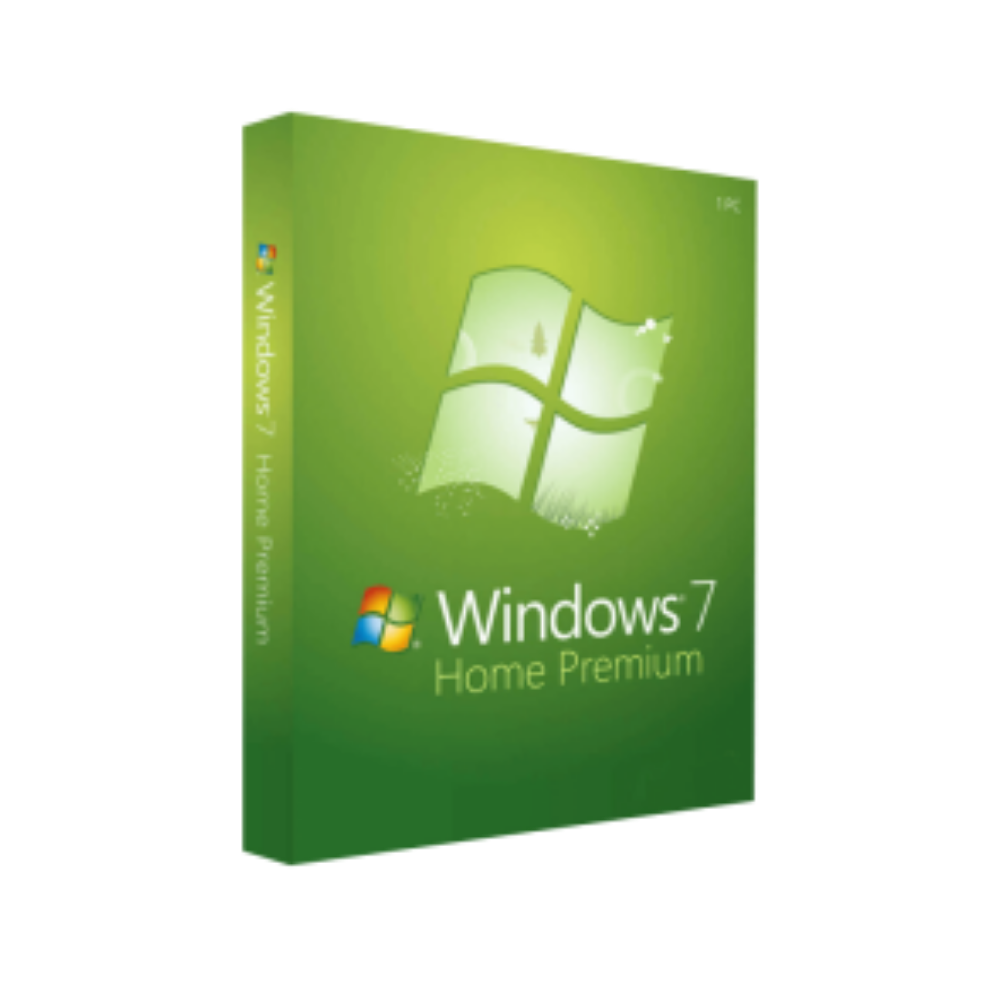
Microsoft Windows 7 Home & Premium 32/64 Bit – Product Key
In Stock
In Stock
Description
Microsoft Windows 7 Home – Professional‑Grade Performance for Everyday Computing
(Designed for business‑savvy users who demand reliability, security, and ease‑of‑use)
1. Product Overview
Microsoft Windows 7 Home is the core operating system that powers millions of desktops, laptops, and all‑in‑one PCs worldwide. Built on the proven Windows NT kernel, it delivers a modern, responsive user interface while retaining the familiar Windows experience that professionals rely on every day.
Whether you are running a small‑office workstation, a home‑based development environment, or a multimedia‑rich workstation, Windows 7 Home provides the stability and compatibility you need—without the extra cost of higher‑tier editions.
Key takeaway: Windows 7 Home offers enterprise‑class reliability in a streamlined package, making it the ideal OS for professionals who value performance over unnecessary extras.
2. Why Professionals Choose Windows 7 Home
| Benefit | Explanation |
|---|---|
| Fast boot‑to‑desktop | Optimized kernel and SuperFetch technology pre‑loads frequently used apps, shaving seconds off startup time. |
| Robust security | Integrated Windows Defender, User Account Control (UAC), and regular security patches protect sensitive data. |
| Broad hardware support | Over 30 000 certified drivers ensure seamless operation with printers, scanners, and specialised peripherals. |
| Enterprise‑ready networking | Native HomeGroup, Wi‑Fi Direct, and VPN support make remote collaboration simple. |
| Low total cost of ownership | No extra licensing fees for unused features—only pay for what you truly need. |
For professionals handling confidential client data, the built‑in security suite provides peace of mind without the need for third‑party add‑ons.
3. Core Features – Bullet‑Point Summary
- Aero Glass Interface – Elegant, translucent windows that improve visual clarity and multitasking.
- Jump Lists & Libraries – Quick access to recent files, frequent folders, and shared libraries from the taskbar.
- Windows Search – Instant, indexed search results across local drives, network shares, and Outlook items.
- Device Stage – One‑click device configuration for cameras, phones, and external storage.
- Windows Media Center (optional add‑on) – Seamless playback of HD video, streaming services, and live TV.
- BitLocker Lite (through third‑party tools) – Easy encryption for USB drives and external disks.
- Windows Update – Automatic – Guarantees you stay current with the latest patches and driver updates.
All of these features work out‑of‑the‑box, requiring minimal IT overhead—a critical advantage for busy professionals.
4. Editions Comparison – Which Version Fits Your Needs?
| Feature / Edition | Windows 7 Home | Windows 7 Home Premium | Windows 7 Professional | Windows 7 Ultimate |
|---|---|---|---|---|
| Target Audience | Home users, small‑office professionals | Home entertainment & media lovers | Business users, domain‑joined PCs | Power users & mixed‑environment deployments |
| 64‑bit Support | ✅ windows 7 home edition 64 bit | ✅ win 7 home premium 64 | ✅ 64‑bit | ✅ (includes microsoft windows 7 ultimate 64 bit download) |
| 32‑bit Support | ✅ windows 7 home edition 32 bit | ✅ | ✅ | ✅ |
| Aero Glass UI | ✅ | ✅ | ✅ | ✅ |
| Domain Join | ❌ | ❌ | ✅ | ✅ |
| BitLocker Full‑Disk Encryption | ❌ (Lite via third‑party) | ❌ | ✅ | ✅ |
| Remote Desktop Host | ❌ | ❌ | ✅ | ✅ |
| Media Center | ❌ (add‑on) | ✅ | ✅ | ✅ |
| Windows XP Mode | ❌ | ❌ | ✅ | ✅ |
| Price (USD) | $119 | $149 | $199 | $219 |
| Ideal For | Professionals needing a stable, cost‑effective OS | Users who want home‑theater features | Companies with networked workstations | Organizations requiring every Windows feature |
The table highlights why Windows 7 Home remains the most cost‑efficient choice for professionals who do not need domain‑join or full‑disk encryption.
5. System Requirements – Ensure Seamless Installation
| Component | Minimum | Recommended |
|---|---|---|
| Processor | 1 GHz or faster (32‑ or 64‑bit) | 2 GHz or faster (dual‑core) |
| RAM | 1 GB (32‑bit) / 2 GB (64‑bit) | 4 GB (32‑bit) / 8 GB (64-bit) |
| Hard Disk Space | 16 GB (32‑bit) / 20 GB (64‑bit) | 40 GB or more |
| Graphics Card | DirectX 9 graphics device with WDDM 1.0 driver | DirectX 10‑compatible GPU, 128 MB VRAM or more |
| Optical Drive | DVD‑ROM drive | DVD‑ROM or USB boot capability |
| Network | Ethernet adapter or IEEE 802.11b/g wireless | Gigabit Ethernet, Wi‑Fi 802.11n/ac |
| Additional | Keyboard, mouse, and internet connection for activation | USB 2.0/3.0 ports, optional webcam |
Tip for Professionals: Allocate at least 8 GB of RAM and a solid‑state drive (SSD) to maximize Windows 7 Home performance in demanding environments such as data analysis, graphic design, or software development.
6. Installation, Activation & Licensing
- Prepare a bootable media – Use a DVD‑ROM or a USB‑3.0 flash drive created with the official Windows 7 USB/DVD Download Tool (available from Microsoft).
- Backup critical data – Always create a system image or copy essential files to an external drive before installation.
- Boot from media – Access BIOS/UEFI, select the appropriate boot device, and follow the on‑screen prompts.
- Select Edition – Choose Windows 7 Home (32‑bit or 64‑bit) based on your hardware.
- Enter Product Key – Input the 25‑character key supplied with your purchase.
- Activate Online – Windows will automatically contact Microsoft’s activation server; you can also activate by phone if needed.
Professional users often manage multiple installations via volume licensing. While Windows 7 Home does not support volume activation, you can still streamline deployment using tools like Microsoft Deployment Toolkit (MDT) for small batches.
Related products
Buy 1 Get 1 Free
Buy 1 Get 1 Free
Buy 1 Get 1 Free
Buy 1 Get 1 Free
Buy 1 Get 1 Free
Buy 1 Get 1 Free
Recently Viewed Products
Buy 1 Get 1 Free
Reviews
There are no reviews yet.