
No products in the cart.
49%
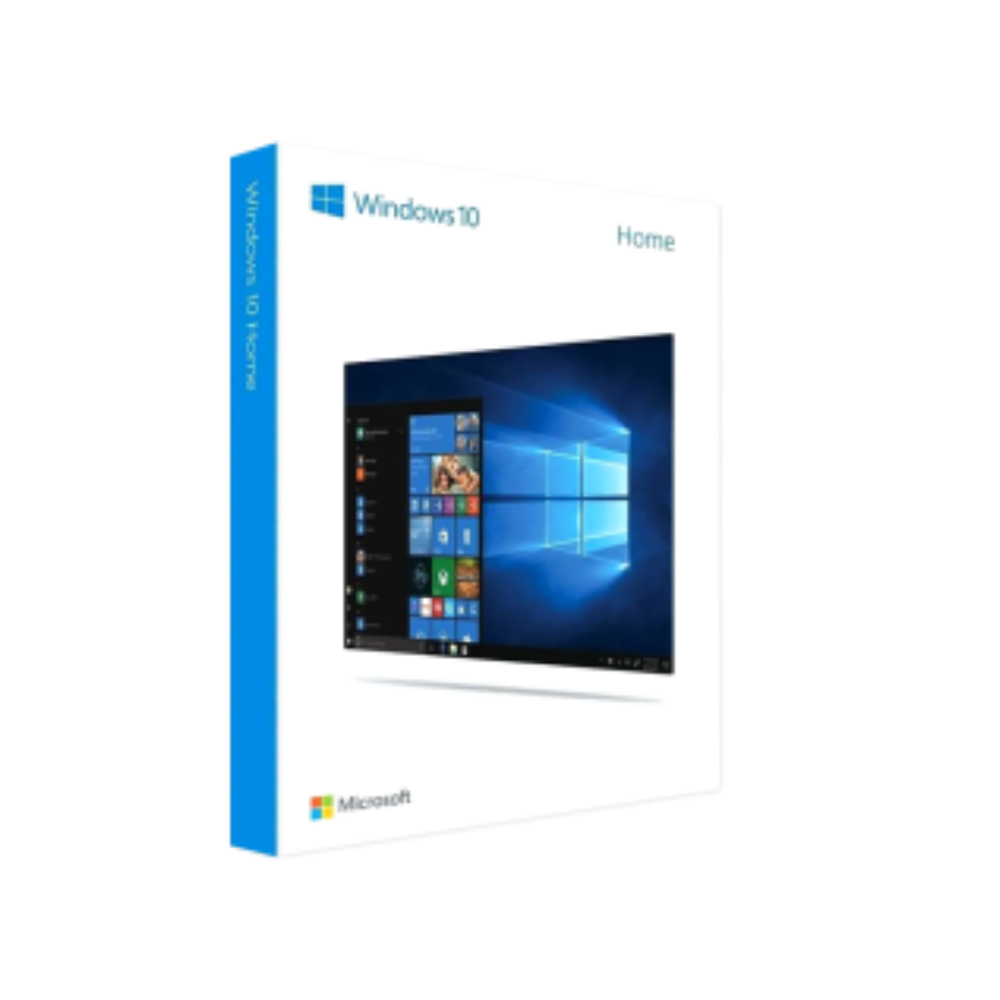
Microsoft Windows 10 Home 32/64 Bit – Product Key
In Stock
In Stock
Description
Microsoft Windows 10 Home – The Ideal Operating System for Modern Professionals
When you need a reliable, secure, and feature‑rich platform without the overhead of enterprise‑level tools, Windows 10 Home delivers exactly that. Below you’ll find a comprehensive, friendly description that covers everything from core capabilities to system requirements, pricing, and a side‑by‑side comparison with Windows 10 Pro.
1. Overview
Windows 10 Home is Microsoft’s most popular consumer edition of the Windows 10 operating system. Designed for everyday productivity, entertainment, and secure home networking, it provides a familiar interface while integrating the latest innovations from Microsoft.
- Seamless integration with Microsoft 365, OneDrive, and Azure Active Directory
- Enhanced security with Windows Defender, Secure Boot, and regular feature updates
- Optimized performance for laptops, desktops, tablets, and hybrid devices
If you’re a professional who works from a personal workstation, a small‑business owner, or anyone who values stability and speed, buying Windows 10 Home is a cost‑effective way to future‑proof your device.
“Windows 10 Home gives me the confidence that my data is safe, while still offering all the tools I need for daily tasks.” – Tech Consultant, New York
2. Why Professionals Choose Windows 10 Home
| Benefit | Explanation |
|---|---|
| Fast boot & resume | Instant‑On technology reduces downtime, letting you jump straight into work. |
| Built‑in security | Windows Defender Antivirus, SmartScreen, and device encryption protect business‑critical data. |
| Regular feature updates | Bi‑annual updates deliver new productivity tools without sacrificing stability. |
| Microsoft Store ecosystem | Access to thousands of vetted apps, from design suites to finance tools. |
| Universal Windows Platform (UWP) | Develop once, run everywhere – ideal for cross‑device workflows. |
Key selling points for professionals
- No hidden enterprise fees – You pay a single, transparent price for the OS.
- Compatibility with all major productivity software – Office 365, Adobe Creative Cloud, AutoCAD, and more run flawlessly.
- Support for multiple monitors – Boost multitasking with up to three external displays.
3. Detailed Feature Set
Core Productivity
- Cortana voice assistant – Hands‑free commands for calendar, email, and reminders.
- Windows Ink – Natural pen input for note‑taking, sketching, and signing documents.
- Snap Assist & Desktops – Organize windows efficiently across virtual desktops.
Entertainment & Media
- Xbox app – Stream games from an Xbox console, manage media libraries, and access Game Pass.
- Windows Media Player & Photos – Built‑in tools for editing, organizing, and sharing media files.
Security & Management
- Windows Hello – Password‑free sign‑in using facial recognition or fingerprint.
- Device Guard & Credential Guard – Advanced threat protection for sensitive credentials.
- Family Safety – Set screen‑time limits and content filters for shared devices.
Connectivity
- Wi‑Fi 6 & Bluetooth 5.0 support out of the box (hardware‑dependent).
- Quick Assist – Remote assistance for troubleshooting without third‑party software.
4. System Requirements for Windows 10 Home
| Component | Minimum | Recommended |
|---|---|---|
| Processor | 1 GHz or faster or dual‑core compatible with x86 or x64 | 2 GHz or faster quad‑core Intel i5 / AMD Ryzen 5 |
| RAM | 2 GB (32‑bit) / 4 GB (64‑bit) | 8 GB or more |
| Storage | 16 GB free space (32‑bit) / 20 GB (64‑bit) | 256 GB SSD or larger |
| Graphics | Microsoft DirectX 9 compatible with WDDM 1.0 driver | DirectX 12 compatible GPU with WDDM 2.0 |
| Display | 800×600 resolution | 1920×1080 or higher |
| Internet | Required for activation & updates | Broadband connection for optimal experience |
| Other | UEFI firmware with Secure Boot capability (optional) | TPM 2.0 for enhanced security (recommended) |
Tip: Use the free Windows Compatibility Checker from Microsoft to verify that your hardware meets the recommended specifications.
5. Buy Windows 10 Home – Pricing & Licensing Options
| Purchase Type | Price (USD) | License Type | Key Benefits |
|---|---|---|---|
| Full retail license | $139 | Per‑device, perpetual | One‑time payment, no subscription required |
| OEM pre‑installed | Varies by manufacturer | Pre‑installed, tied to hardware | Lower cost, immediate activation |
| Digital download (Microsoft Store) | $129 | Per‑device, perpetual | Instant delivery, easy activation via Microsoft account |
Compare the price for windows across reputable retailers to ensure you’re getting the best deal.
6. Windows 10 Home vs. Windows 10 Pro – Quick Comparison
| Feature | Windows 10 Home | Windows 10 Pro |
|---|---|---|
| BitLocker encryption | ❌ | ✅ |
| Remote Desktop (host) | ❌ | ✅ |
| Group Policy Management | ❌ | ✅ |
| Hyper‑V virtualization | ❌ | ✅ |
| Assigned Access (kiosk mode) | ✅ | ✅ |
| Maximum RAM support | 128 GB | 2 TB |
| Enterprise updates | No | Yes (Windows Update for Business) |
| Price | Lower (approx. $139) | Higher (approx. $199) |
Bottom line: If you do not need advanced security, domain join, or virtualization, Windows 10 Home offers all the essential tools at a more affordable price.
Related products
Buy 1 Get 1 Free
Buy 1 Get 1 Free
Buy 1 Get 1 Free
Buy 1 Get 1 Free
Buy 1 Get 1 Free
Buy 1 Get 1 Free
Reviews
There are no reviews yet.