
No products in the cart.
29%
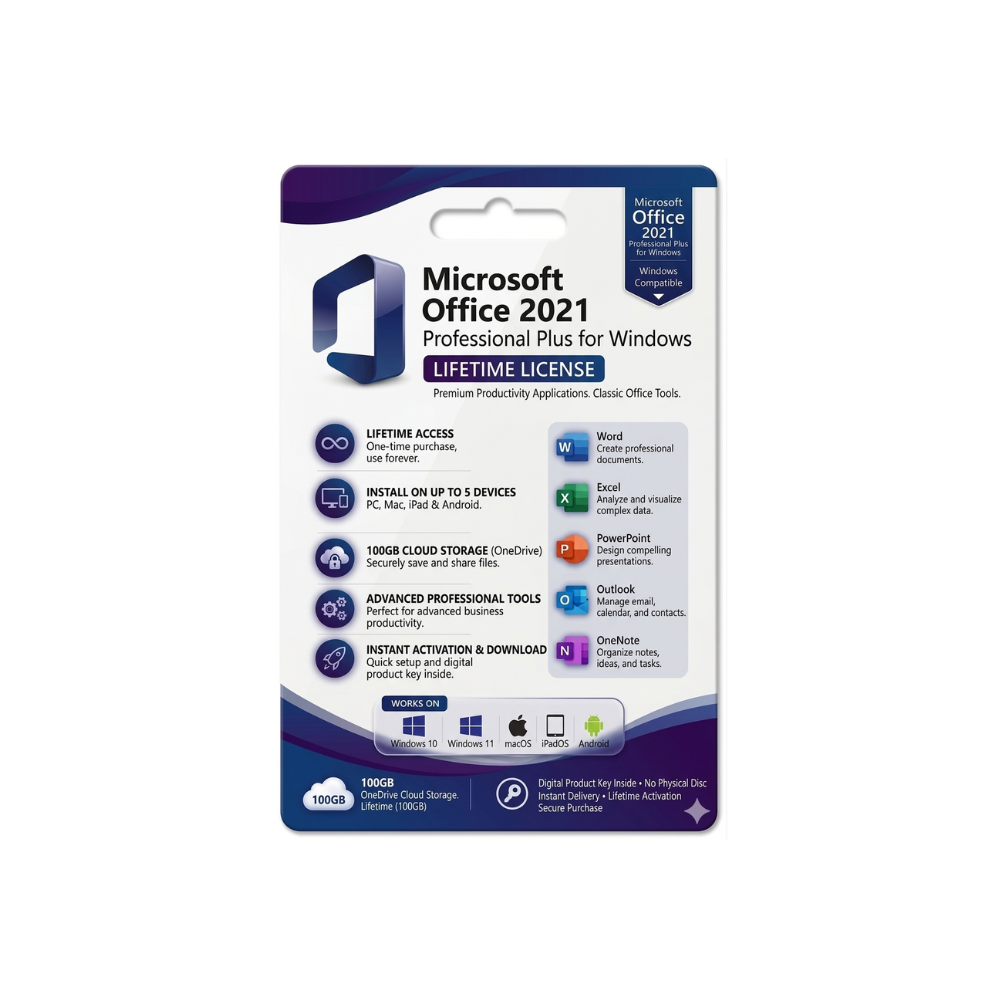

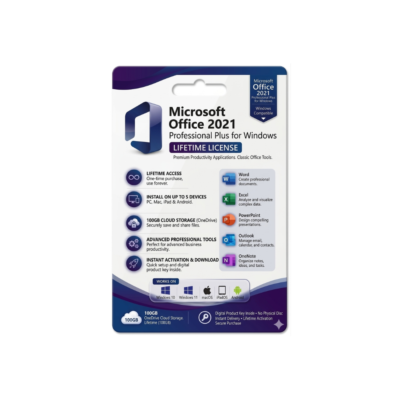
Microsoft Office 2021 Professional Plus
United States dollar ($) - USD
In Stock
In Stock
Be the first to review “Microsoft Office 2021 Professional Plus”
Description
- Microsoft Office 2021 Professional Plus – The Complete Productivity Suite for Today’s Professionals
Your one‑stop solution for advanced document creation, data analysis, and collaboration.
Overview
Microsoft Office 2021 Professional Plus is the latest perpetual‑license edition of the world‑renowned productivity suite. Designed specifically for business users, consultants, educators, and IT administrators, it delivers the full set of classic Office applications—Word, Excel, PowerPoint, Outlook, Access, Publisher, and OneNote—combined with the most recent feature updates and robust security enhancements.
Unlike subscription‑based offerings, Office 2021 Professional Plus provides a single‑time purchase that grants you a perpetual right to use the software on a designated device, while still receiving essential security patches through Microsoft’s regular update cycle.
Key takeaway: If you need a reliable, fully‑featured Office suite without recurring fees, Microsoft Office 2021 Professional Plus is the optimal choice for professional environments.
Why Choose Microsoft Office 2021 Professional Plus?
Feature Microsoft Office 2021 Professional Plus Office 2019 Professional Plus Microsoft 365 (Business) License Model Perpetual, one‑time purchase Perpetual, one‑time purchase Subscription (monthly/annual) Core Apps Word, Excel, PowerPoint, Outlook, Access, Publisher, OneNote Same as 2021 Same + Teams, SharePoint, Planner, Yammer AI‑Powered Tools Co‑authoring in real time, Data Types, Dynamic arrays Limited AI Full AI suite (Copilot, Designer, etc.) Security Advanced Threat Protection, TLS 1.2+, Windows Hello support Basic security updates Microsoft Defender for Business, Conditional Access Support Lifecycle 5‑year mainstream, 5‑year extended 5‑year mainstream, 5‑year extended Continuous updates Cost One‑off $439 (approx.) One‑off $399 (approx.) $12.50/user / month (Business Standard) Ideal For Companies that prefer CAPEX, offline environments, regulated industries Legacy upgrade paths Organizations that need cloud‑first collaboration The table highlights why Microsoft Office 2021 Professional Plus often outperforms older perpetual versions while remaining more cost‑predictable than a full‑scale Microsoft 365 subscription.
Core Applications & New Capabilities
1. Microsoft Word 2021
- Modern commenting – Threaded, @mentions, and real‑time sync.
- Improved reference manager – Integrated citations and bibliography tools.
- Enhanced in‑line translation – Translate selected text in > 70 languages.
2. Microsoft Excel 2021
- Dynamic arrays – FILTER, SORT, UNIQUE, SEQUENCE functions simplify complex calculations.
- XLOOKUP & XMATCH – Faster, more intuitive replacements for VLOOKUP/HLOOKUP.
- New charts – Funnel, Map, and 2‑D/3‑D reference charts for richer visual storytelling.
3. Microsoft PowerPoint 2021
- Ink Replay – Record and replay digital ink strokes.
- Live captions & subtitles – Real‑time translation for global presentations.
- Zoom for PowerPoint – Non‑linear navigation for interactive decks.
4. Microsoft Outlook 2021
- Improved focus inbox – AI‑driven sorting of high‑priority mail.
- Integrated Teams meeting links – One‑click join from calendar events.
- Advanced attachment handling – Direct upload to OneDrive with secure sharing.
5. Microsoft Access 2021
- Improved macro designer – Drag‑and‑drop interface for rapid automation.
- Performance tuning – Optimized queries for larger data sets.
6. Microsoft Publisher 2021
- New templates – Marketing, newsletters, and event flyers for quick start.
7. Microsoft OneNote 2021
- Ink to text – Convert handwritten notes to editable text instantly.
System Requirements
Component Minimum Recommended Operating System Windows 10 (64‑bit) version 1909 or later Windows 11 (64‑bit) Processor 1.6 GHz or faster, 2‑core 2.0 GHz or faster, 4‑core RAM 4 GB 8 GB or more Hard Disk Space 4 GB of available space SSD with 10 GB free Display 1280 × 768 or higher 1920 × 1080 or higher Graphics DirectX 9 compatible graphics device with WDDM 2.0 driver DirectX 12 compatible GPU .NET Framework .NET 4.7.2 or later .NET 6.0 Additional Requirements Internet connectivity for activation, updates, and online help Broadband internet for cloud‑based features (OneDrive, Teams integration) Note: Microsoft Office 2021 Professional Plus does not require a Microsoft 365 subscription, but an internet connection is required for product activation and periodic security updates.
Frequently Asked Questions (FAQ)
Question Answer Can I install Office 2021 Professional Plus on multiple devices? The perpetual license is per device. For multiple installations you must purchase additional licenses or consider Microsoft 365 Business. Is there a downgrade rights option? Yes – organizations with volume licensing can downgrade to Office 2016 Professional Plus under the same agreement. Will Office 2021 work with Windows Server? The suite is designed for client operating systems; however, it can be deployed on Windows Server through Remote Desktop Services (RDS) with appropriate licensing. Do I receive feature updates after purchase? You receive security patches and critical bug fixes for the product’s lifecycle, but no new feature roll‑outs beyond what shipped in 2021. Can I integrate Office 2021 Professional Plus with Azure AD? Yes – you can join devices to Azure Active Directory for single sign‑on (SSO) and conditional access policies.
Comparison: Office 2021 Professional Plus vs. Competing Suites
Criterion Microsoft Office 2021 Professional Plus Google Workspace (Business) LibreOffice 7.5 License Model One‑time perpetual Subscription (monthly per user) Free, open‑source Desktop Apps Full‑featured native apps Web‑first (Docs, Sheets, Slides) Native apps (Writer, Calc, Impress) Advanced Data Tools XLOOKUP, Dynamic arrays, Power Query Limited formulas, no Power Query Basic functions, no AI Security Built‑in Enterprise‑grade security, TLS 1.2+, Windows Hello 2‑step verification, SSO, encryption at rest Community‑maintained patches Collaboration Real‑time co‑authoring in desktop apps Real‑time collaboration in browser Real‑time via Collabora Online (extra) Support 10‑year lifecycle, paid support 24/7 support (Business) Community forums Cost (per user) $0 after purchase $12 / mo (Business Standard) $0 When budget, offline capability, and advanced Excel functionality are top priorities, Microsoft Office 2021 Professional Plus clearly leads the pack.

Reviews
Customer reviews
No reviews found