
No products in the cart.
10%
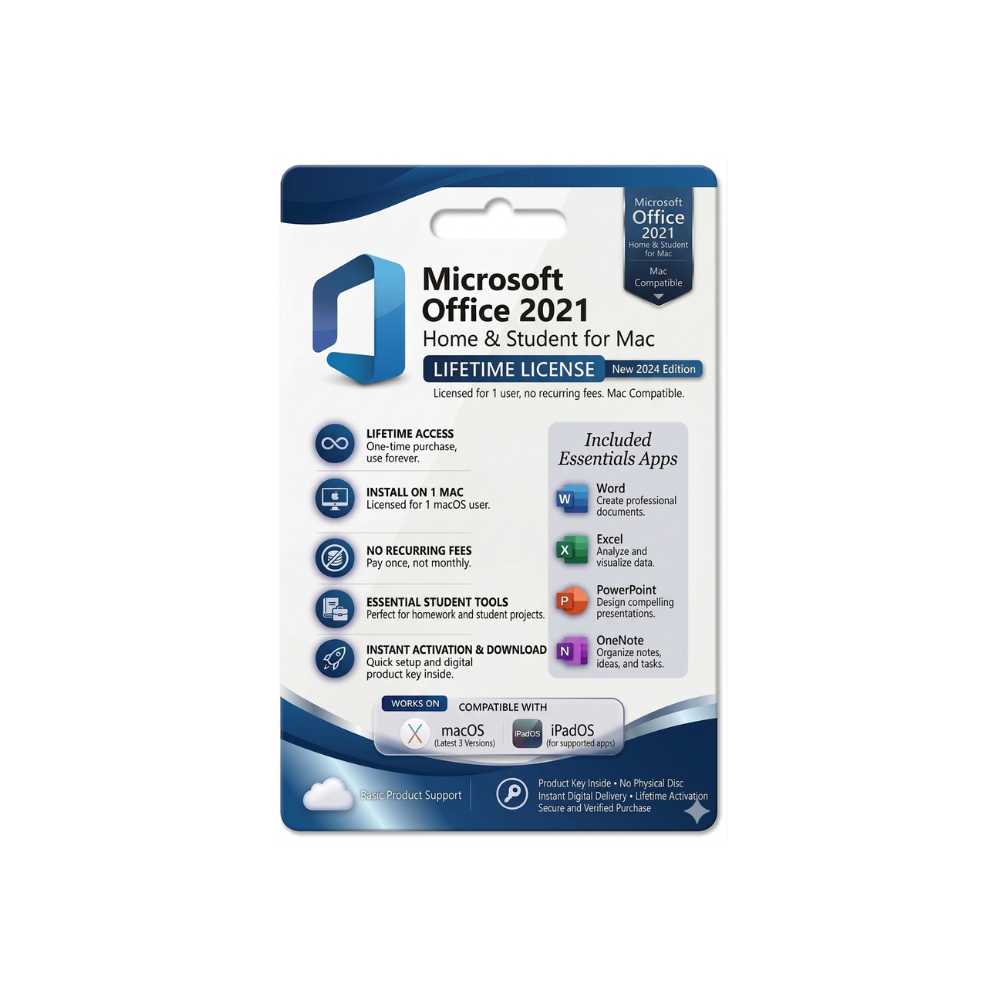

Microsoft Office 2021 Home & Student for Mac – Instant Digital Delivery
United States dollar ($) - USD
In Stock
In Stock
Be the first to review “Microsoft Office 2021 Home & Student for Mac – Instant Digital Delivery”
Description
Microsoft Office Home & Student – The Complete Productivity Suite for Professionals and Families
Your reliable, cost‑effective solution for Word, Excel, PowerPoint, and OneNote – all in one licensed package.
Overview
Microsoft Office Home & Student (often searched as microsoft home and student, microsoft office home and student, ms office home and student, etc.) is the most popular entry‑level Office suite. It delivers the core desktop applications that professionals rely on every day, while remaining affordable for home users, students, and small businesses.
- One‑time purchase – no recurring subscription fees.
- Perpetual license – use the same version forever on a single PC or Mac.
- Full‑featured apps – Word, Excel, PowerPoint, and OneNote (all 64‑bit).
Whether you draft contracts, analyze data, create presentations, or take class notes, the Microsoft Office Home & Student suite equips you with the tools you need to work efficiently, securely, and collaboratively.
Why Choose Microsoft Office Home & Student?
| Feature | Microsoft Office Home & Student | Microsoft 365 Personal (Subscription) | Google Workspace (Free) |
|---|---|---|---|
| One‑time cost | ✔︎ Fixed price, no renewal | ✘ Monthly/annual fee | ✔︎ Free tier (limited storage) |
| Desktop apps | ✔︎ Fully installed Word, Excel, PowerPoint, OneNote | ✔︎ Same apps + cloud updates | ✘ Web‑only (no offline desktop) |
| Offline access | ✔︎ Works without internet | ✔︎ Works offline, syncs later | ✘ Requires internet (except Docs offline) |
| Storage | No cloud storage included | 1 TB OneDrive | 15 GB Google Drive |
| Support | 90‑day phone & chat support | Ongoing support & updates | Community forums |
| License | One PC or Mac (single device) | Up to 5 devices per user | Unlimited devices (browser) |
| Security updates | ✔︎ Included for the life of the version | ✔︎ Continuous security patches | ✔︎ Automatic (cloud) |
| Cost (as of 2024) | $149.99 (one‑time) | $69.99/yr | Free (basic) |
Bottom line: If you prefer a single upfront investment and need the full‑featured desktop experience without the ongoing subscription, Microsoft Office Home & Student is the smartest choice for professionals who want reliability and predictability in budgeting.
Core Applications – What You Get
| Application | Primary Use Cases | Key Capabilities |
|---|---|---|
| Microsoft Word | Draft contracts, reports, résumés, proposals | • Advanced formatting, styles & templates • Real‑time collaboration via OneDrive • Integrated reference tools (citations, bibliography) |
| Microsoft Excel | Financial modeling, data analysis, inventory tracking | • Power Query & Power Pivot for large datasets • 2 million‑row capacity • Dynamic arrays, XLOOKUP, and new LET function |
| Microsoft PowerPoint | Pitch decks, webinars, classroom slides | • Designer AI for slide layouts • Morph transition for smooth animations • Export to video & interactive PDFs |
| Microsoft OneNote | Digital notebooks, meeting minutes, research | • Ink support for stylus input • Unlimited page hierarchy • Seamless sync across devices (when paired with OneDrive) |
All apps are 64‑bit, optimized for modern hardware, and include the latest UI improvements introduced in the 2023 release.
System Requirements – Ensure Smooth Performance
| Requirement | Windows PC | macOS |
|---|---|---|
| Operating System | Windows 10 (1809) or later, Windows 11 | macOS 10.15 (Catalina) or later |
| Processor | 1.6 GHz or faster, 2‑core | Intel processor (Core i3) or Apple Silicon (M1/M2) |
| RAM | 4 GB (8 GB recommended) | 4 GB (8 GB recommended) |
| Hard Disk Space | 4 GB of available storage (additional space required for temporary files) |
10 GB of available storage |
| Display | 1280 × 768 screen resolution | 1280 × 800 screen resolution |
| Graphics | DirectX 9 or later, with WDDM 2.0 driver | GPU supporting Metal framework |
| Internet | Required for activation & updates (broadband recommended) | Required for activation & updates (broadband recommended) |
| Additional | .NET 4.7 or later (pre‑installed on supported Windows) | macOS 10.15+ includes required frameworks |
Tip: For the best experience when handling large Excel workbooks or high‑resolution PowerPoint presentations, we recommend 8 GB RAM and an SSD drive.
Licensing & Activation – What You Need to Know
- One‑time purchase – Pay once, own forever. No renewal reminders.
- Single‑device license – Install on one Windows PC or one Mac. (You may transfer the license to another device after uninstalling from the original.)
- Activation – Use the Microsoft account you create during checkout. Activation is automatic via the internet, and you can re‑activate on a new machine by signing in with the same account.
Frequently Asked Questions (FAQ)
| Question | Answer |
|---|---|
| Can I install Office Home & Student on a laptop and a desktop? | No. The license covers one device only. For multiple devices, consider Microsoft 365 Personal or purchase additional Home & Student licenses. |
| Is cloud storage included? | The package does not include OneDrive storage, but you can sign up for a free 5 GB OneDrive account and link it to your Office apps. |
| Will I receive future feature updates? | You receive security patches for the life of the product, but new major features are released only through a newer version (e.g., Office 2024). |
| Can I use Office Home & Student for commercial work? | Yes – the license permits personal, home, and small‑business use. It is not intended for enterprise‑level deployments. |
| Does it work on tablets? | The desktop apps run on Windows tablets that meet the system requirements, but there is no separate Touch‑Optimized version. For full tablet support, a Microsoft 365 subscription is recommended. |

Reviews
Customer reviews
No reviews found