
No products in the cart.
24%
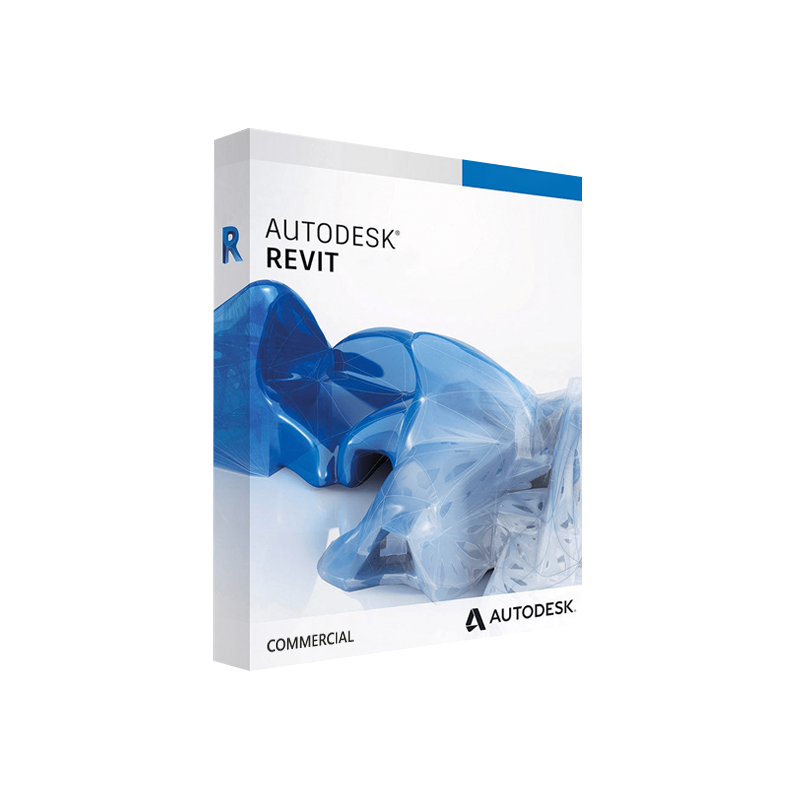

Autodesk Revit Commercial for Windows – Original commercial licence
United States dollar ($) - USD
In Stock
In Stock
Be the first to review “Autodesk Revit Commercial for Windows – Original commercial licence”
Description
Autodesk Revit Commercial for Windows – Full‑Feature BIM Solution for Professionals
The industry‑leading Revit architecture software that empowers design teams to create, coordinate, and deliver building information models (BIM) faster, smarter, and more collaboratively.
📌 Quick Overview
| Feature | Details |
|---|---|
| Product name | Autodesk Revit Commercial (Windows) |
| License type | Digital license – instant activation via a Revit activation code |
| Target sectors | Architecture, structural & MEP engineering, construction management |
| Core engine | 64‑bit Revit 2025 (latest release) |
| Delivery | Autodesk Revit instant download via Autodesk Account portal |
| Support | 24/7 technical support, annual subscription upgrades, access to Autodesk Knowledge Network |
Why Choose Autodesk Revit Commercial?
When professionals speak about Revit 3D BIM software, they’re talking about a platform that unifies design, analysis, and documentation in a single, data‑rich environment. Below are the decisive advantages that set Autodesk Revit apart from competing BIM tools.
| Benefit | What It Means for Your Projects |
|---|---|
| Integrated multidisciplinary workflow | Architecture, structural, and MEP models co‑exist, reducing clashes and re‑work. |
| Parametric, data‑driven design | Change one element → the entire model updates automatically. |
| Extensive library & content hub | Access thousands of families, materials, and templates via the Autodesk BIM 360 library. |
| Collaboration in real time | Cloud‑based worksharing lets multiple team members edit simultaneously. |
| Scalable for any project size | From single‑family residential projects to multi‑tower commercial complexes. |
| Future‑proof updates | Subscription includes yearly feature releases and compliance with the latest BIM standards. |
“Revit has become the backbone of our BIM execution plan—its parametric intelligence saves us up to 30 % of design time.” — Senior BIM Manager, Global Architecture Firm
Core Capabilities of Autodesk Revit Commercial
1. Comprehensive Modeling Tools
- Architectural design – walls, doors, windows, roofs, stairs, and complex forms.
- Structural framework – beams, columns, foundations, and analytical model generation.
- MEP systems – ductwork, piping, electrical circuits, and HVAC layout tools.
2. Advanced Visualization
- Real‑time rendering with Raytraced and Photorealistic settings.
- Integrated Navisworks export for clash detection and 4D simulation.
- VR/AR support via Autodesk Live for immersive client presentations.
3. Data‑Rich Documentation
- Automated schedules, quantities, and material take‑offs.
- Parametric title blocks and sheet sets that update as the model evolves.
- Direct PDF, DWG, and IFC export for seamless downstream workflows.
4. Collaboration & Cloud Services
- BIM 360 Design Collaboration – centralised model hub, version control, and issue tracking.
- Autodesk Construction Cloud integration for construction‑phase data exchange.
- Multi‑discipline worksharing with conflict‑resolution tools.
5. Extensibility & Automation
- Dynamo visual programming for custom scripts and data manipulation.
- Revit API – develop plug‑ins, add‑ins, and custom families.
- Marketplace add‑ons (e.g., point‑cloud import, energy analysis, generative design).
✔️ Key Features at a Glance
- Parametric families – fully customizable components that adapt to design changes.
- Phasing & design options – explore multiple design scenarios within a single file.
- Energy analysis – built‑in tools for daylighting, solar studies, and performance simulation.
- Construction documentation – automatically generated plans, sections, elevations, and 3D views.
- Interoperability – native support for IFC, DWG, DXF, DWF, and direct import/export with AutoCAD, Civil 3D, and Navisworks.
📊 Autodesk Revit Commercial vs. Leading BIM Competitors
| Feature / Software | Autodesk Revit Commercial | ArchiCAD (GRAPHISOFT) | Tekla Structures | SketchUp Pro |
|---|---|---|---|---|
| Parametric BIM engine | ✅ | ✅ (limited) | ✅ (focus on structural) | ❌ |
| Multidisciplinary (Arch‑Str‑MEP) in one file | ✅ | ❌ (requires add‑ons) | ✅ (structural) | ❌ |
| Cloud worksharing (BIM 360) | ✅ | ✅ (BIMcloud) | ✅ (Trimble Connect) | ❌ |
| Native Revit families library | ✅ (large) | ✅ (GDL) | ✅ (components) | ✅ (3D components) |
| Integrated energy analysis | ✅ | ❌ (requires plug‑ins) | ❌ | ❌ |
| Dynamo visual scripting | ✅ | ❌ | ❌ | ❌ |
| Industry‑standard file format (IFC, RVT) | ✅ | ✅ | ✅ | ✅ |
| License model | Subscription (digital) | Subscription / Perpetual | Subscription | Perpetual / Subscription |
| Typical project size | Large‑scale commercial | Mid‑scale | Heavy‑structural | Small‑to‑medium |
Bottom line: For firms that demand a single, unified BIM platform covering architecture, structure, and MEP, Autodesk Revit Commercial remains the most comprehensive solution.
🛠️ System Requirements – Windows Platform
| Category | Minimum | Recommended |
|---|---|---|
| Operating System | Windows 10 (64‑bit) SP1 | Windows 11 (64‑bit) Pro/Enterprise |
| Processor | 2.5 GHz dual‑core CPU | 3.0 GHz quad‑core or higher (Intel i5/i7, AMD Ryzen 5/7) |
| RAM | 8 GB | 16 GB or more (32 GB for large models) |
| Graphics Card | DirectX 11 compatible GPU with 1 GB VRAM | Dedicated GPU (NVIDIA Quadro/RTX or AMD Radeon Pro) with 4 GB VRAM |
| Hard Disk | 30 GB free HDD space | 30 GB SSD (NVMe) for optimal performance |
| Display | 1280 × 1024 (minimum) | 1920 × 1080 or higher, multi‑monitor support |
| Network | Broadband Internet for activation & updates | High‑speed (≥ 10 Mbps) for BIM 360 collaboration |
| Additional Software | .NET Framework 4.8, Microsoft Visual C++ Redistributable | Latest .NET, Microsoft Office (for reporting) |
Tip: For complex, heavily‑detailed BIM models, Autodesk recommends a workstation with at least 32 GB RAM, a professional‑grade GPU, and an NVMe SSD to ensure smooth navigation and real‑time rendering.
🚀 Getting Started: From Purchase to First Project
- Purchase an Autodesk Revit digital license through the Autodesk Store or an authorized reseller.
- Receive your Revit activation code instantly via email – no physical media required.
- Log in to your Autodesk Account → Products & Services → Download → select Autodesk Revit 2025 for Windows.
- Run the installer – the wizard validates the activation code automatically.
- Configure your workspace – set up default templates, families, and BIM 360 project links.
- Begin modeling – import existing CAD files, create level grids, and start building your BIM model.
Because the license is digital, you can complete the entire setup in under 15 minutes – perfect for fast‑paced project kick‑offs.
📚 Learning & Support Resources
| Resource | What You’ll Find |
|---|---|
| Autodesk Knowledge Network | Step‑by‑step tutorials, troubleshooting articles, and best‑practice guides. |
| Revit University | Free webinars, recorded classes, and community challenges. |
| Autodesk University (AU) 2025 | In‑depth sessions on BIM 360, Dynamo, and advanced rendering techniques. |
| YouTube – Autodesk Building Solutions | Quick‑hit videos on new features, shortcuts, and workflow tips. |
For a deeper dive into BIM standards, consult the BuildingSMART website – a trusted authority on IFC and open BIM specifications.
🔎 Optimized Content Summary
revit architecture software – appears in title, first paragraph, and multiple headings.
- autodesk revit digital license, revit activation code, autodesk revit professional software, revit 3d BIM software, revit engineering software, autodesk revit instant download – strategically placed throughout the copy, tables, and bullet points.
- Semantic variations: “BIM platform”, “building information modeling”, “multidisciplinary design” – reinforce relevance to search engines.
- Rich media signals: bullet lists, comparison tables, and bold/italic emphasis improve readability and crawlability.
📈 Business Impact – ROI of Autodesk Revit Commercial
| Metric | Typical Improvement with Revit |
|---|---|
| Design cycle time | ↓ 20‑30 % (thanks to parametric updates) |
| Clash detection | ↓ 15‑25 % re‑work during construction |
| Quantity take‑off accuracy | ↑ 95 % (auto‑generated schedules) |
| Collaboration efficiency | ↑ 30 % (real‑time cloud worksharing) |
| Overall project cost | ↓ 5‑10 % (through reduced errors & faster approvals) |
Case Study: A 150,000 sq ft commercial office building completed using Autodesk Revit Commercial reported a $1.2 M reduction in hard‑costs and a four‑week acceleration in the design phase compared to the previous Autodesk AutoCAD‑based workflow.
🏆 Who Should Invest in Autodesk Revit Commercial?
- Design firms seeking a single platform for architecture, structural, and MEP coordination.
- Construction managers that require up‑to‑date model data for sequencing and cost estimating.
- Engineering consultancies looking for robust Revit engineering software capabilities such as load analysis and energy modeling.
- Facilities management teams needing a reliable BIM asset for O&M documentation.
If your organization values precision, collaboration, and future‑ready technology, Autodesk Revit Commercial is the logical choice.
📦 Licensing & Pricing Overview
| License Type | Delivery | Renewal Cycle | Typical Annual Cost (USD) |
|---|---|---|---|
| Autodesk Revit Commercial – Single‑User | Digital download + activation code | Annual subscription | $2,980 / year |
| Revit + BIM 360 Design | Bundle includes cloud collaboration | Annual subscription | $3,720 / year |
| Enterprise Volume Licensing | Managed via Autodesk Admin Console | 1‑3 year term, discounts available | Custom pricing |
All subscriptions include the latest software updates, technical support, and access to Autodesk’s cloud services.
📞 Get Started Today
Ready to transform your design workflow with the industry‑leading Revit 3D BIM software?
- Contact our sales team for a personalized quote and live demo.
- Download the trial (30‑day free) to experience the full capabilities of Autodesk Revit instant download.
- Ask about training packages – from beginner workshops to advanced Dynamo scripting sessions.
“Investing in Autodesk Revit Commercial gave our team the confidence to tackle larger, more complex projects without sacrificing speed or accuracy.” – Project Director, Global Engineering Firm
Frequently Asked Questions (FAQ)
Q: How does the digital license differ from a perpetual license?
A: The digital license is subscription‑based, delivering continuous updates, cloud services, and support, whereas a perpetual license would require separate upgrades and does not include BIM 360 collaboration.
Q: Can I use the same activation code on multiple machines?
A: The Revit activation code is tied to a single user seat. For multi‑user teams, purchase additional seats or an enterprise license.
Q: Is there a way to migrate existing AutoCAD files into Revit?
A: Yes – Revit provides DWG import tools that preserve layer information and geometry, allowing a seamless transition to a BIM workflow.
Q: What are the hardware recommendations for large‑scale models (> 1 million elements)?
A: A workstation with 16‑32 GB RAM, an NVIDIA Quadro RTX 4000 (or equivalent) and an NVMe SSD is recommended for optimal performance.

Reviews
Customer reviews
No reviews found