
No products in the cart.
37%
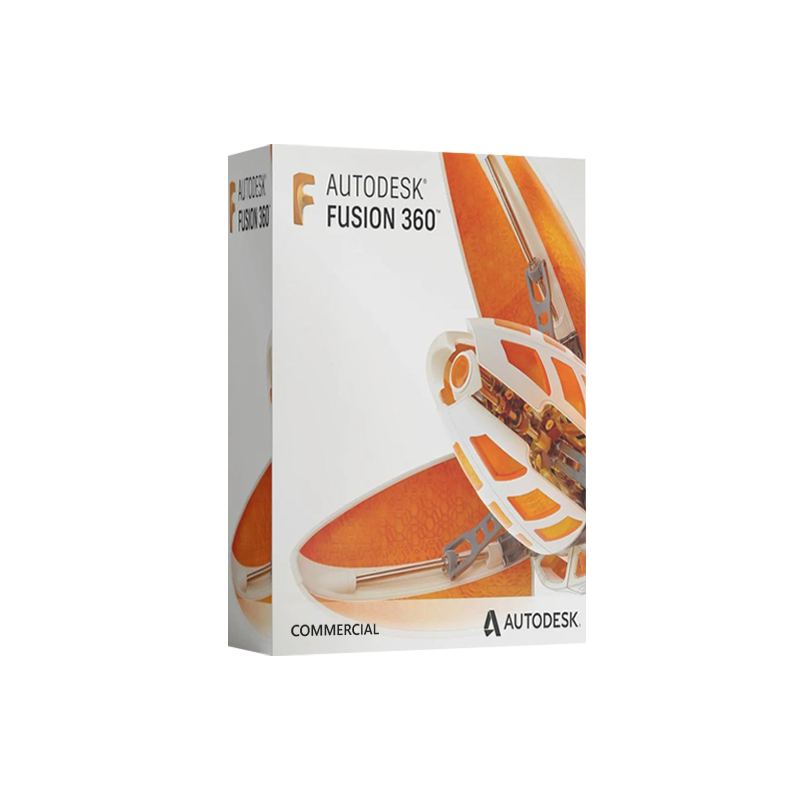

Autodesk Fusion 360 Commercial – Commercial Licence
United States dollar ($) - USD
In Stock
In Stock
Be the first to review “Autodesk Fusion 360 Commercial – Commercial Licence”
Description
Autodesk Fusion 360 Commercial – Full‑Feature CAD/CAM/CAE Solution for Professionals
Overview
Autodesk Fusion 360 Commercial is the complete, cloud‑based design platform that empowers engineers, product designers, and manufacturing specialists to take a concept from sketch to production without ever leaving a single application. Delivered as a subscription‑based commercial license, Fusion 360 integrates 3‑D modeling, simulation, CAM, rendering, and data management into one unified environment—making it the ideal choice for teams that demand speed, collaboration, and industry‑grade precision.
“Fusion 360 Commercial gives us the flexibility of the cloud while providing the depth of a desktop‑class CAD system.” – Senior Mechanical Engineer, OEM Supplier
Why Choose Autodesk Fusion 360 Commercial?
| Key Benefit | How It Helps Professionals | Result |
|---|---|---|
| All‑in‑One Platform | CAD, CAM, CAE, PCB, and rendering in one interface | Eliminates file‑transfer headaches and reduces software stack costs |
| Cloud Collaboration | Real‑time co‑editing, version control, and project sharing | Teams can work together from any location, accelerating product development |
| Scalable Subscription | Per‑user commercial license, optional add‑ons (e.g., Simulation Premium) | Predictable budgeting and the ability to expand capabilities as projects grow |
| Advanced Simulation | Stress, thermal, modal, and generative design analysis | Faster validation, fewer physical prototypes, and lower time‑to‑market |
| Manufacturing Integration | 2‑axis to 5‑axis CNC, 3‑D printing, and sheet‑metal tooling | Seamless transition from design to production, cutting lead‑time by up to 30 % |
| Data Management & Security | Autodesk Vault, secure cloud storage, and role‑based permissions | Protects intellectual property while providing easy access to project history |
These capabilities make Autodesk Fusion 360 Commercial the go‑to CAD software for professional teams that need a reliable, future‑proof solution.
Detailed Product Description
Autodesk Fusion 360 Commercial delivers the full version of Fusion 360 with no functional limitations. Unlike the free or hobbyist editions, the commercial license unlocks:
- Unlimited Private Projects – Keep confidential designs inside your organization.
- Advanced Generative Design – Leverage AI‑driven topology optimization for lightweight, high‑performance parts.
- Premium Simulation Packages – Access static, dynamic, thermal, and fatigue analysis tools without additional fees.
- Manufacturing Extensions – Use advanced CAM strategies such as adaptive clearing, high‑speed machining, and multi‑axis toolpaths.
- Professional Rendering & Animation – Produce photorealistic images and interactive walkthroughs for client presentations.
- Enterprise‑Level Support – 24/7 technical assistance, priority updates, and dedicated account managers.
All features are continuously updated via the cloud, ensuring you always work with the latest tools, bug fixes, and performance improvements.
“Because Fusion 360 Commercial is always current, our design team never worries about version incompatibility when sharing files with suppliers.” – Product Development Lead, Consumer Electronics Manufacturer
Comparison: Commercial vs. Other Fusion 360 Licenses
| Feature | Fusion 360 Commercial | Fusion 360 for Personal Use | Fusion 360 for Startups* |
|---|---|---|---|
| Price (per user/yr) | $495 (monthly $55) | Free (limited) | Free up to $100 k revenue |
| Private Projects | ✅ Unlimited | ❌ Limited to 3 | ✅ Unlimited |
| Generative Design | ✅ Full suite | ❌ Disabled | ✅ Full suite |
| Simulation (Stress, Thermal, Modal) | ✅ All Premium modules | ❌ Basic only | ✅ All Premium modules |
| CAM (2‑5 Axis) | ✅ Advanced toolpaths | ❌ Basic 2‑axis only | ✅ Advanced toolpaths |
| Collaboration | ✅ Real‑time co‑editing, version control | ✅ Cloud sync, limited sharing | ✅ Real‑time co‑editing |
| Technical Support | ✅ 24/7 priority support | Community forums only | ✅ Priority support |
| Data Management | ✅ Autodesk Vault integration | ❌ No Vault | ✅ Vault integration |
*The startup program is subject to eligibility verification and may change with Autodesk policy updates.
If you require unrestricted access to every Fusion 360 capability, the Commercial license is the only option that guarantees a complete, future‑ready toolkit.
System Requirements – Autodesk Fusion 360 Commercial
| Component | Minimum | Recommended |
|---|---|---|
| Operating System | Windows 10 (64‑bit) or macOS 10.15 (Catalina) | Windows 11 (64‑bit) or macOS 12 (Monterey) |
| Processor | 2 GHz dual‑core (Intel i3 / AMD Ryzen 3) | 3.5 GHz quad‑core (Intel i5 / AMD Ryzen 5) |
| RAM | 4 GB | 16 GB or more |
| Graphics Card | DirectX 11 compatible GPU with 1 GB VRAM | Dedicated GPU (NVIDIA GeForce RTX 3060 / AMD Radeon RX 6600) with 4 GB VRAM |
| Disk Space | 3 GB free SSD space | 10 GB SSD (plus additional space for project files) |
| Internet | Broadband for activation & cloud sync (minimum 5 Mbps) | High‑speed (≥25 Mbps) for large assemblies & rendering |
| Browser | Chrome, Edge, or Firefox (latest) for web access | Same + optional Autodesk Desktop Connector for offline sync |
| Additional | .NET Framework 4.8, Visual C++ Redistributable | Same + optional GPU drivers for CUDA acceleration (if using rendering) |
Tip: For optimal performance in generative design and high‑resolution rendering, a workstation‑class GPU with CUDA 11.0+ (NVIDIA) or OpenCL 2.0+ (AMD) is strongly recommended.
You can verify your system compatibility using the free Autodesk Desktop App – a quick way to ensure a smooth installation.
How to Buy Autodesk Fusion 360 Commercial License
- Visit the Official Autodesk Store – Navigate to the Fusion 360 Commercial product page.
- Select Subscription Plan – Choose Annual for the best price or Monthly for flexible budgeting.
- Create/Sign In to Autodesk Account – All licenses are tied to your Autodesk ID for easy license management.
- Enter Billing Details – Secure payment via credit card, PayPal, or corporate PO.
- Download & Install – After purchase, use the Autodesk Desktop Connector to download the latest version.
For bulk purchases or enterprise agreements, contact Autodesk’s sales team for volume discounts and custom deployment options.
Frequently Asked Questions (FAQ)
| Question | Answer |
|---|---|
| What is the difference between “Autodesk Fusion 360 Commercial” and “Autodesk Fusion 360 Professional”? | Both refer to the full, unrestricted version of Fusion 360. “Commercial” emphasizes the license type (paid, for business use), while “Professional” is a marketing term often used interchangeably. |
| Can I switch from a personal or startup license to a commercial license later? | Yes. You can upgrade at any time through your Autodesk Account; your projects and data migrate automatically. |
| Is there a trial period? | Autodesk offers a 30‑day free trial of the commercial version with all features enabled. |
| Do I need an internet connection to run Fusion 360? | An internet connection is required for license activation, cloud sync, and updates. You can work offline for up to 30 days before re‑connecting. |
| Are there additional costs for add‑ons? | Most advanced modules (e.g., Generative Design, Simulation Premium) are included in the commercial license. Optional add‑ons like OctaneRender or additional cloud rendering credits are billed separately. |

Reviews
Customer reviews
No reviews found