
No products in the cart.
3%
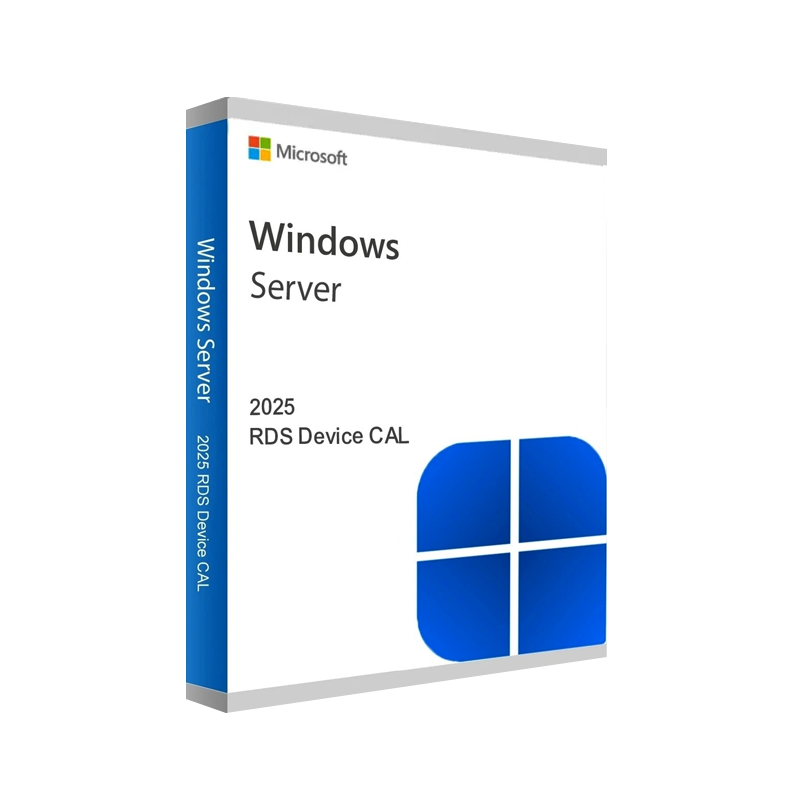
Buy Windows Server 2025 RDS Device CAL | Remote Desktop License
In Stock
In Stock
✔ Quick Delivery
✔ 100% Original License
✔ Lifetime Warranty
✔ Free Support
Description
Buy Windows Server 2025 RDS Device CAL – Professional‑Grade Remote Desktop Licensing
Product Overview
The Windows Server 2025 Remote Desktop Services (RDS) Device CAL is the industry‑standard license that empowers each physical device to access Remote Desktop Services on a Windows Server 2025 environment. Whether you are deploying a corporate Virtual Desktop Infrastructure (VDI), a secure remote work solution, or a thin‑client fleet, this genuine Microsoft RDS Device CAL guarantees compliance, high‑performance connectivity, and full support from Microsoft.
“A single, affordable license per device simplifies budgeting and eliminates per‑user tracking.” – IT Operations Lead, Fortune 500
Why Choose a Device CAL for Windows Server 2025?
| Benefit | Explanation |
|---|---|
| Predictable Costs | One flat fee per device – no need to calculate per‑user spikes. |
| Simplified Management | Licenses are tied to hardware, not to ever‑changing staff rosters. |
| Full Feature Set | Includes Remote Desktop Session Host (RDSH), RemoteApp, Desktop Experience, and Multi‑Session Windows capabilities. |
| Compliance Assurance | Meets Microsoft’s licensing terms for on‑premises and hybrid deployments. |
| Scalable | Add new devices with a single line‑item—perfect for growth or seasonal peaks. |
| Genuine Microsoft Support | Access to Microsoft Certified updates, patches, and technical assistance. |
These advantages make the Windows Server 2025 RDS Device CAL the most cost‑effective solution for organizations that prefer a device‑centric licensing model.
Key Features of the Windows Server 2025 Remote Desktop Device CAL
- Unlimited Sessions per Device – One device can run multiple concurrent Remote Desktop sessions without additional licensing.
- Secure Encrypted Connections – Uses TLS 1.3 and Network Level Authentication (NLA) to protect data in transit.
- Integrated with Azure AD – Seamless single‑sign‑on (SSO) for hybrid cloud environments.
- High‑Performance Graphics – Optimized for GPU‑accelerated workloads (e.g., CAD, video editing).
- Multi‑Language Support – UI available in 30+ languages, ideal for global teams.
- Legacy Compatibility – Works with Windows Server 2019, 2022, and earlier RDS deployments.
Note: The Device CAL is distinct from the User CAL. Choose the model that aligns with your organization’s device‑to‑user ratio.
System Requirements
| Component | Minimum | Recommended |
|---|---|---|
| Processor | 1.4 GHz 64‑bit (dual‑core) | 2.0 GHz 64‑bit (quad‑core) |
| RAM | 2 GB | 8 GB or more |
| Disk Space | 32 GB | 100 GB SSD (for fast VM provisioning) |
| Network | 1 Gbps Ethernet | 10 Gbps Ethernet or higher |
| Operating System | Windows Server 2025 Standard or Datacenter | Windows Server 2025 Datacenter (for high‑density VDI) |
| Graphics | DirectX 11‑compatible GPU | Dedicated GPU (NVIDIA GRID, AMD MxGPU) for graphic‑intensive apps |
| Security | TPM 2.0, Secure Boot | TPM 2.0 + BitLocker + Windows Defender ATP |
| Remote Desktop Services Role | RDSH, RD Connection Broker, RD Web Access installed | All RDS roles with high‑availability clustering (optional) |
| Licensing Server | Windows Server 2025 with RD Licensing role | Same, plus redundant licensing server for failover |
*For a complete technical checklist, see Microsoft’s official **Windows Server 2025 Remote Desktop Services Documentation*.
Licensing Comparison: Device CAL vs. User CAL (2025)
| Criteria | Device CAL | User CAL |
|---|---|---|
| Scope | One physical device (desktop, thin‑client, VM) | One named user (any device) |
| Ideal For | Shared workstations, call‑center stations, kiosks | Knowledge workers with multiple devices (laptop, tablet, phone) |
| Cost Model | Fixed per device, independent of user count | Fixed per user, independent of device count |
| Management | Simpler – track hardware inventory | Requires HR/IT sync for user lifecycle |
| Compliance Risk | Low – devices are static | Higher – users may access from untracked devices |
| Typical Use‑Case | 200‑seat call center → 200 Device CALs | 150 knowledge workers → 150 User CALs |
Bottom line: If your organization’s device count exceeds the user count, the Device CAL delivers the greatest ROI.
How to Purchase Your Windows Server 2025 RDS Device CAL
- Select the Quantity – Determine the exact number of devices that will connect to RDS.
- Add to Cart – Click “Buy Now” to add the Genuine Windows Server 2025 RDS Device CAL to your order.
- Enter Licensing Details – Provide your Microsoft Partner ID or Enterprise Agreement number for discount eligibility.
- Complete Checkout – Secure payment via credit card, PayPal, or corporate invoicing.
- Receive License Key – A Windows Server 2025 Device CAL Key is emailed instantly, with a downloadable PDF for record‑keeping.
All purchases are backed by a 30‑day money‑back guarantee and lifetime technical support.
Related products
Buy 1 Get 1 Free
Buy 1 Get 1 Free
Buy 1 Get 1 Free
Buy 1 Get 1 Free
Buy 1 Get 1 Free
Buy 1 Get 1 Free
Reviews
There are no reviews yet.