
No products in the cart.
50%
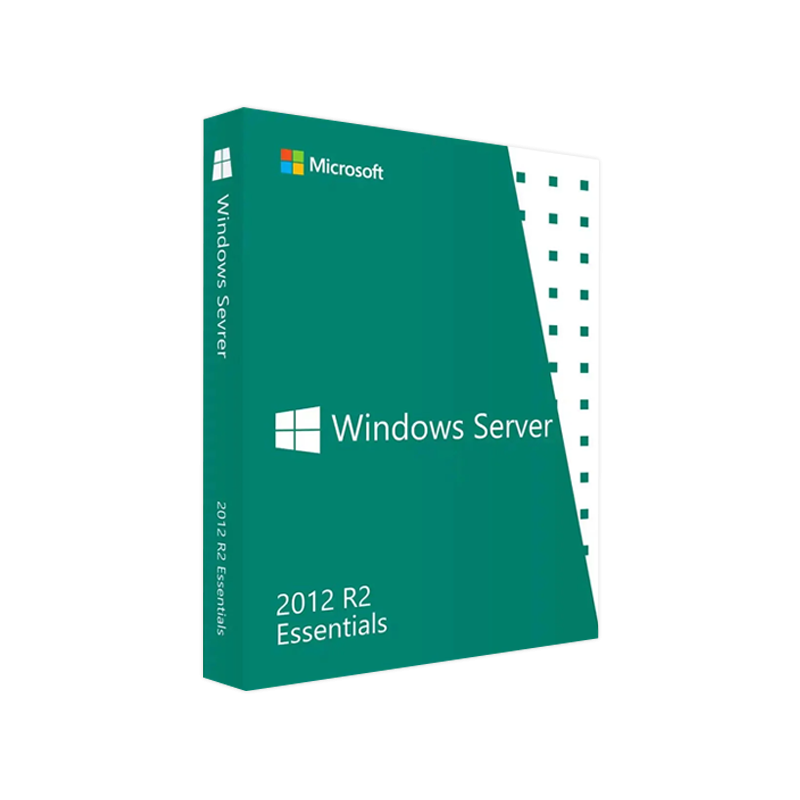
Buy Microsoft Windows Server 2012 R2 Essentials | Genuine License
In Stock
In Stock
Description
Buy Microsoft Windows Server 2012 R2 Essentials – Genuine License & Activation Key
Your trusted source for a fully‑licensed, ready‑to‑install Windows Server 2012 R2 Essentials solution.
Whether you are a small‑business IT manager, a managed service provider, or a system integrator, the Microsoft Windows Server 2012 R2 Essentials product delivers a complete, secure, and easy‑to‑manage server platform for up to 25 users and 50 devices. This page provides a comprehensive, SEO‑friendly description of the product, its key features, system requirements, license options, and a side‑by‑side comparison with other Windows Server editions.
Table of Contents
- Why Choose Windows Server 2012 R2 Essentials?
- Key Features & Benefits
- System Requirements
- License & Activation Details
- Comparison Table – Essentials vs. Standard vs. Datacenter
- How to Purchase & Activate Your Key
- Support & Updates
- Frequently Asked Questions (FAQ)
- References & Outbound Links
1. Why Choose Microsoft Windows Server 2012 R2 Essentials?
- Optimized for Small‑Business Environments – Designed for organizations with up to 25 users, it balances cost‑effectiveness with enterprise‑grade reliability.
- Simplified Management – The integrated Dashboard and Remote Web Access (RWA) let administrators configure, monitor, and troubleshoot the server from any browser.
- Built‑in Data Protection – Automated daily backups, File History, and SharePoint Online integration keep your data safe and compliant.
- Hybrid‑Ready – Seamlessly connects to Microsoft Azure, Office 365, and OneDrive for Business for cloud‑bursting and disaster recovery.
Bottom line: Windows Server 2012 R2 Essentials gives professionals a genuine, fully‑featured server without the overhead of larger editions.
2. Key Features & Benefits
| Feature | Description | Business Benefit |
|---|---|---|
| Dashboard & Remote Web Access | Centralized console + web‑based portal for remote administration. | Reduces travel time, enables 24/7 IT support. |
| Active Directory (AD) Domain Services | Lightweight AD with simplified user & device management. | Streamlines authentication and policy enforcement. |
| File and Print Services | Centralized file shares, printer pools, DFS Namespaces. | Improves data accessibility and reduces hardware costs. |
| Backup & Restore | Daily volume shadow copy backups, Windows Server Backup integration. | Guarantees business continuity with minimal admin effort. |
| Hybrid Cloud Integration | Azure Site Recovery, Office 365 sync, OneDrive for Business. | Enables scalable growth and cloud‑first strategies. |
| Security Enhancements | BitLocker, Secure Boot, Windows Defender, and Network Access Protection (NAP). | Meets PCI‑DSS and GDPR compliance requirements. |
| Virtualization Ready | Supports Hyper‑V (role‑based), ideal for test/dev labs. | Consolidates workloads, lowers data‑center footprint. |
Highlighted Benefits for Professionals
- Rapid deployment – Pre‑configured installation wizard reduces setup time to ≤2 hours.
- Predictable licensing – One‑time Windows Server 2012 R2 Essentials License with no CALs required for the included 25 users.
- Scalable architecture – Upgrade path to Windows Server 2016/2019 Essentials or Standard without re‑architecting your environment.
3. System Requirements
Important: Ensure your hardware meets or exceeds the minimum specifications below to avoid performance bottlenecks.
| Component | Minimum Requirement | Recommended Specification |
|---|---|---|
| Processor | 1.4 GHz 64‑bit (x64) | 2.0 GHz + Quad‑core Intel Xeon or AMD Opteron |
| RAM | 2 GB (32‑bit) / 4 GB (64‑bit) | 8 GB + (16 GB for virtualization) |
| Disk Space | 32 GB | 120 GB + RAID 1 for redundancy |
| Network | Ethernet NIC (10/100/1000 Mbps) | Dual Gigabit NICs (for failover) |
| Operating System | N/A – this is the OS | – |
| Additional | DVD drive or USB for installation | UEFI firmware, TPM 2.0 for BitLocker |
All hardware must be Microsoft‑certified for Windows Server 2012 R2.
Tip: For environments that rely heavily on virtualization, allocate at least 8 GB of RAM per virtual machine and use hardware‑assisted virtualization (Intel VT‑x or AMD‑V).
4. License & Activation Details
| Item | Description |
|---|---|
| Product Name | Microsoft Windows Server 2012 R2 Essentials |
| License Type | Perpetual, full‑version digital license – no subscription required. |
| Activation Key | Windows Server 2012 R2 Essentials Activation Key (25‑digit alphanumeric). |
| Product Key | Windows Server 2012 R2 Essentials Product Key – delivered instantly via secure email. |
| Genuine Assurance | All keys are genuine Microsoft‑issued, backed by a certificate of authenticity. |
| Download Option | Windows Server 2012 R2 Essentials Download link (ISO, 4 GB) – encrypted, virus‑free. |
| Support Period | 24‑month Standard Support (includes security updates) – optional Extended Support available. |
How Activation Works
- Download the ISO – Use the secure link provided after purchase.
- Install the OS – Follow the on‑screen wizard; choose Essentials edition.
- Enter the Activation Key – Input the Windows Server 2012 R2 Essentials License key during setup or via slmgr.vbs post‑install.
- Validate Online – Connect to the internet; Microsoft’s activation server will confirm authenticity.
Once activated, the server is fully functional and ready for production.
5. Comparison Table – Essentials vs. Standard vs. Datacenter (2012 R2)
| Feature | Windows Server 2012 R2 Essentials | Windows Server 2012 R2 Standard | Windows Server 2012 R2 Datacenter |
|---|---|---|---|
| Target Market | Small businesses (≤25 users) | Mid‑size enterprises (≤500 users) | Large enterprises, highly virtualized environments |
| Maximum Users | 25 | Unlimited (requires CALs) | Unlimited (requires CALs) |
| Virtualization Rights | 1 virtual instance (Hyper‑V) | 2 virtual instances | Unlimited virtual instances |
| Active Directory | Simplified AD (no domain forest) | Full AD with forest support | Full AD with forest support |
| License Cost | One‑time, lower price | Higher, per‑Core/Server + CALs | Highest, per‑Core + CALs |
| Feature Set | Core server, backup, RWA, file services | All Standard features + Hyper‑V, Remote Desktop Services | All Datacenter features + unlimited virtualization |
| Hybrid Cloud Integration | Built‑in Azure Site Recovery | Same | Same |
| Support Lifecycle | 5 years mainstream, 5 years extended | Same | Same |
| Ideal Use‑Case | Office, retail, medical clinics | Departmental servers, branch offices | Data centers, cloud service providers |
Bottom line: If your organization does not exceed 25 users and you need a cost‑effective, fully‑featured server, Essentials is the optimal choice.
6. How to Buy Windows Server 2012 R2 Essentials Key – Step‑by‑Step
- Select the License – Choose the Full Version (digital) or OEM (pre‑installed) option.
- Add to Cart – Click “Buy Now”; our checkout is PCI‑DSS compliant.
- Secure Payment – Pay via credit card, PayPal, or corporate invoice.
- Receive Your Key – An email with the Windows Server 2012 R2 Essentials Product Key, license file, and download link arrives within 15 minutes.
- Install & Activate – Follow the instructions in the email (see Section 4).
Why Purchase From Us?
- 100 % Genuine Microsoft Keys – No gray‑market or volume‑licensing abuse.
- Instant Delivery – No shipping delays, no physical media required.
- Compliance Guarantee – All keys are registered and trackable through Microsoft’s licensing portal.
- Dedicated Support – Live chat and email assistance available 24/7.
7. Support & Updates
| Support Tier | What’s Included |
|---|---|
| Standard Support (24 months) | Monthly security patches, critical updates, and Microsoft Knowledge Base access. |
| Extended Support (Optional) | Additional 5 years of security updates, phone support with a dedicated technical account manager. |
| Self‑Help Resources | – Official Microsoft Docs – Windows Server 2012 R2 Essentials Documentation – Community forums, TechNet articles, and video tutorials. |
All updates are delivered via Windows Update or WSUS – no manual download required.
8. Frequently Asked Questions (FAQ)
| Question | Answer |
|---|---|
| Can I upgrade from Essentials to Standard later? | Yes. You can perform an in‑place upgrade to Windows Server 2012 R2 Standard using a valid Standard license key. |
| Do I need CALs for the 25 users? | No. The Essentials edition includes unlimited CALs for up to 25 users and 50 devices. |
| Is the product compatible with Hyper‑V Server? | The Essentials edition includes the Hyper‑V role, allowing one virtual instance on the same hardware. |
| What happens after the mainstream support ends? | You may continue using the server, but you will not receive security updates unless you purchase Extended Support. |
| Can I install the OS on a virtual machine in Azure? | Yes – the Windows Server 2012 R2 Essentials ISO is fully supported on Azure VMs (Standard_D2s_v3 or larger). |
Related products
Buy 1 Get 1 Free
Buy 1 Get 1 Free
Buy 1 Get 1 Free
Buy 1 Get 1 Free
Buy 1 Get 1 Free
Buy 1 Get 1 Free
Reviews
There are no reviews yet.