
No products in the cart.
51%
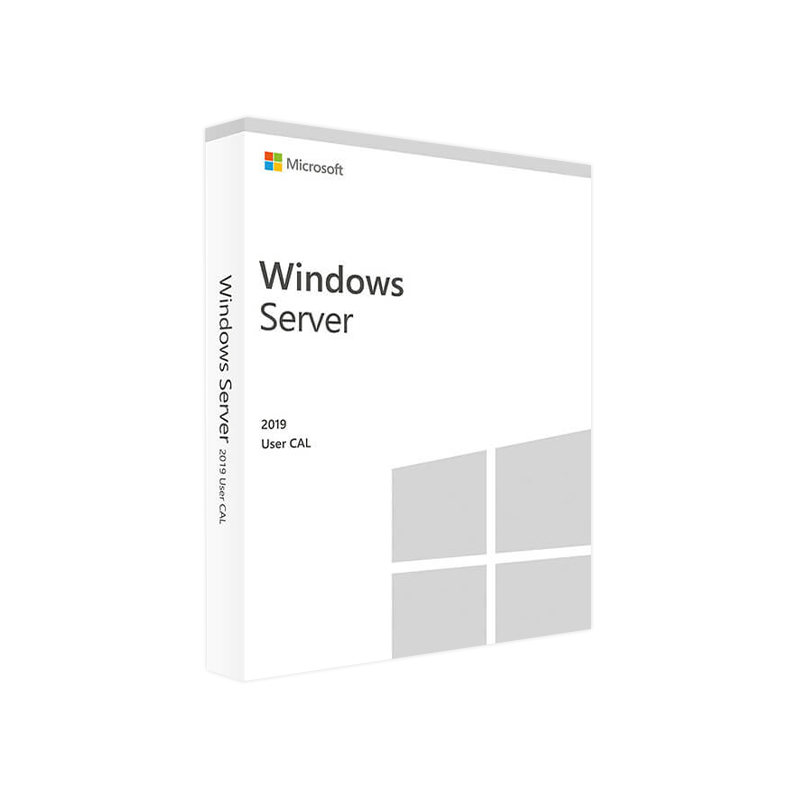
Microsoft Windows Server 2019 USER CAL – Product Key
In Stock
In Stock
Description
Microsoft Windows Server 2019 User CAL – Professional‑Grade Access Licensing
Your definitive source for buying, deploying, and managing Windows Server 2019 User CALs.
1. What Is a Microsoft Windows Server 2019 User CAL?
A User Client Access License (CAL) is the legal right that permits an individual to access the services of a Windows Server 2019 environment. Unlike a Device CAL, which is tied to a specific piece of hardware, a User CAL follows the person wherever they log on – whether from a laptop, tablet, smartphone, or remote desktop session.
your organization’s users need to work from multiple devices, a Windows Server 2019 User CAL is the most cost‑effective, scalable solution.
2. Why Choose a Windows Server 2019 User CAL?
| Benefit | Explanation |
|---|---|
| Flexibility | One license covers any number of devices per user – perfect for BYOD or remote‑work policies. |
| Predictable Cost | Licensing is based on headcount, not hardware, simplifying budgeting for growing teams. |
| Compliance Assurance | Meets Microsoft’s licensing terms, protecting you from audit penalties. |
| Simplified Management | User‑centric tracking integrates with Active Directory and Azure AD for seamless reporting. |
| Future‑Proof | Works with Windows Server 2022 and later, safeguarding your investment. |
*For a deeper dive into Microsoft’s licensing fundamentals, see the official Microsoft Licensing Guide.*
3. Core Features of the Windows Server 2019 User CAL License
- Unlimited Device Access – Users may sign in from any device, anywhere, with no additional CALs required.
- Support for Hybrid Cloud – Full compatibility with Azure Hybrid Benefit and Azure AD Connect.
- Role‑Based Access Control (RBAC) – Align CAL usage with specific server roles (e.g., Hyper‑V, Remote Desktop Services).
- Secure Authentication – Leverages Kerberos, NTLM, and modern authentication protocols.
- Audit‑Ready Reporting – Built‑in PowerShell cmdlets and Server Manager dashboards for license tracking.
4. Buy Windows Server 2019 User CAL – How to Purchase
- Determine Headcount – Count the unique users who will access the server.
- Select the Edition – Choose between Standard and Datacenter; the CAL itself is edition‑agnostic.
- Choose a Licensing Model –
- Retail (OEM) – Single‑seat, ideal for small businesses.
- Volume Licensing (Open, CSP, Enterprise Agreement) – Best for medium to large enterprises.
- Validate the License Key – After purchase, you’ll receive a Windows Server 2019 User License Key that must be entered during activation.
Pro tip: When buying through a Microsoft Cloud Solution Provider (CSP), you gain the advantage of subscription‑based billing and automatic key renewal.
5. User CAL vs. Device CAL – Quick Comparison
| Aspect | User CAL | Device CAL |
|---|---|---|
| Licensing Model | Per individual user | Per physical device |
| Best For | Organizations with mobile workers, BYOD, multiple devices per user | Environments with shared workstations (e.g., call centers) |
| Cost Predictability | Scales with headcount | Scales with number of devices |
| Management Complexity | Simplified – one CAL per user | Requires tracking each device |
| Compliance Risk | Lower – easier to prove each user is licensed | Higher – risk of under‑licensing when devices multiply |
| Typical Use‑Case | Remote sales teams, developers, executives | Manufacturing floors, kiosks, public terminals |
6. System Requirements for Microsoft Windows Server 2019 User CAL
Note: The CAL itself does not install software, but the server it accesses must meet the following minimum requirements.
| Component | Minimum | Recommended |
|---|---|---|
| Processor | 1.4 GHz 64‑bit (x64) | 2.0 GHz or faster, 4 cores |
| RAM | 2 GB (Standard) / 4 GB (Datacenter) | 8 GB or more |
| Disk Space | 32 GB | 40 GB or more (depending on role) |
| Network | Gigabit Ethernet | 10 GbE for high‑throughput workloads |
| Operating System | Windows Server 2019 (Standard or Datacenter) | Fully patched with latest cumulative updates |
| Hyper‑V | Optional (if virtualization required) | Enabled for VM workloads |
| Active Directory | Required for user authentication | Azure AD Connect for hybrid scenarios |
*For the latest server hardware compatibility list, refer to the Microsoft Certified Hardware Catalog.*
7. Frequently Asked Questions (FAQ)
| Question | Answer |
|---|---|
| Can a single Windows Server 2019 User CAL be used on multiple servers? | Yes. The CAL grants access to any Windows Server 2019 instance within the same organization. |
| Do I need a separate CAL for Remote Desktop Services (RDS)? | RDS requires an additional RDS User CAL on top of the standard Server CAL. |
| What happens if a user leaves the company? | Re‑assign the CAL to a new employee – the license is user‑based, not tied to a specific identity. |
| Is there an expiration date on the CAL? | No. A Windows Server 2019 User CAL is perpetual; only the product support lifecycle may affect updates. |
| Can I combine User CALs and Device CALs in the same environment? | Absolutely. Microsoft allows mixed licensing as long as each access is covered by the appropriate CAL type. |
8. Optimizing Your Windows Server 2019 User CAL Deployment
- Audit Current Access Patterns – Use PowerShell’s
Get-ADUserand Server Manager logs to map who accesses what. - Consolidate Duplicate Licenses – Identify users with both a User CAL and a Device CAL; keep the most cost‑effective option.
- Leverage Azure AD – Integrate on‑premises AD with Azure AD to enable conditional access and reduce license overhead.
- Automate License Tracking – Deploy Microsoft System Center Configuration Manager (SCCM) or a third‑party asset‑management tool.
- Plan for Scale – When headcount grows beyond 500 users, consider moving to a Microsoft Enterprise Agreement for volume discounts.
Related products
Buy 1 Get 1 Free
Buy 1 Get 1 Free
Buy 1 Get 1 Free
Buy 1 Get 1 Free
Buy 1 Get 1 Free
Buy 1 Get 1 Free
Recently Viewed Products
Buy 1 Get 1 Free
Buy 1 Get 1 Free
Buy 1 Get 1 Free
Reviews
There are no reviews yet.